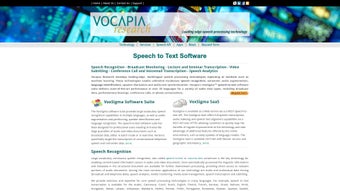

Download Vocapia – AI Voice Generation, Speech‑to‑Text, Transcription Tool
Overview
Vocapia stands out as a comprehensive, web‑based AI voice generator that belongs to the robust VoxSigma software suite. Built on cutting‑edge artificial intelligence and machine‑learning algorithms, this platform delivers large‑vocabulary continuous speech recognition (LVCSR) with a focus on accuracy, speed, and scalability. Whether you need to monitor live broadcast feeds, transcribe seminars for academic archives, or add subtitles to video content, Vocapia provides a single, secure environment to transform raw audio into searchable, editable text.
The service supports both real‑time streaming and batch processing, making it adaptable for small‑scale projects and enterprise‑level workloads alike. With built‑in audio segmentation, speaker diarization, and language detection across 82 languages, Vocapia empowers media professionals, researchers, and developers to unlock the hidden value of spoken content. While the platform shines in cloud‑based accessibility and integration flexibility—offering REST‑API endpoints for seamless workflow automation—it currently lacks native mobile applications and offline capabilities, which may limit on‑the‑go usage for some users.
Nonetheless, its extensive feature set, multilingual support, and commitment to data security make Vocapia a compelling choice for anyone seeking a reliable AI‑driven transcription and voice‑generation solution.
Core Features that Differentiate Vocapia
- Multilingual Speech‑to‑Text Engine: Recognizes and transcribes audio in 82 languages, covering major world languages and several regional dialects.
- Real‑Time and Batch Processing: Choose live streaming transcription for broadcast monitoring or upload large audio files for batch conversion.
- Speaker Identification & Diarization: Automatically separates speakers, tags dialogue turns, and creates speaker‑specific transcripts.
- Audio Segmentation & Indexing: Breaks long recordings into logical segments, generating timestamps and searchable indices for rapid navigation.
- Speech‑Text Alignment: Aligns transcript text with exact audio timestamps, enabling precise subtitle creation and media asset management.
- RESTful API Access: Provides developers with programmatic control for integrating transcription services into custom applications, CMS platforms, or analytics pipelines.
- Secure Cloud Infrastructure: Data is encrypted in transit and at rest, complying with GDPR and other international privacy standards.
- Scalable Architecture: Handles high‑volume workloads, from single‑hour interviews to 24‑hour broadcast streams, without degradation in performance.
- Custom Vocabulary Support: Upload domain‑specific terminology to improve accuracy for technical, medical, or legal content.
- Analytics Dashboard: Visualize transcription metrics, speaker distribution, and language detection results in an intuitive UI.
Each of these capabilities is designed to reduce manual effort, accelerate content accessibility, and enable new forms of speech analytics. For example, the combination of speaker diarization and language detection can be used to generate multilingual meeting minutes automatically, while the API allows content platforms to add closed‑captioning to video libraries at scale. The secure cloud environment also ensures that sensitive recordings—such as corporate earnings calls or confidential interviews—remain protected throughout the transcription lifecycle. Together, these features make Vocapia not just a transcription tool but a full‑featured speech intelligence platform.
Installation & Usage: Getting Started Quickly
Step‑by‑Step Installation
Because Vocapia is a cloud‑native solution, there is no traditional software download or local installation required. Users begin by creating an account on the VoxSigma portal. After confirming the email address, you receive access to the dashboard where you can manage projects, upload audio, and configure API keys.
- Register an Account: Visit vocapia.com, click “Sign Up,” and fill in your professional details. Choose a plan that matches your transcription volume (free trial, professional, or enterprise).
- Verify Email & Set Password: A verification link is sent to your inbox. Follow the link, then set a strong password that meets the security guidelines.
- Generate API Credentials: In the dashboard, navigate to “API Settings” and click “Create New Key.” Store the key securely; it will be required for any programmatic access.
- Upload Audio Files: Drag‑and‑drop files (WAV, MP3, FLAC) into the “Projects” area or use the “Upload via URL” option for remote resources.
- Select Processing Mode: Choose “Real‑Time” for live streams or “Batch” for pre‑recorded files. Configure language, speaker count, and custom vocabulary if needed.
- Start Transcription: Click “Start” and monitor progress on the status board. Transcripts appear in the “Results” tab once processing completes.
Using the REST API
For developers, integrating Vocapia into existing workflows is straightforward. A typical API call includes your API key, the audio source URL, and optional parameters such as language code and speaker count. Here’s a concise example using curl:
curl -X POST "https://api.vocapia.com/v1/transcribe" \
     -H "Authorization: Bearer YOUR_API_KEY" \
     -F "audio_file=@/path/to/audio.wav" \
     -F "language=en-US" \
     -F "speaker_count=2"
The response returns a JSON object containing a job ID. Poll the endpoint /v1/status/{job_id} to retrieve the transcription once it’s ready. The final result includes the full transcript, timestamps, speaker labels, and confidence scores, which can be directly fed into subtitle editors or content management systems.
Overall, the cloud‑first approach eliminates the need for complex installations, ensures that you always run the latest AI models, and provides a consistent experience across browsers and operating systems.
Compatibility, Pros & Cons
Vocapia is built on a responsive web interface that works on any modern browser, including Chrome, Firefox, Safari, and Edge. Since it runs entirely in the cloud, it is compatible with Windows 10/11, macOS Monterey and later, Linux distributions, as well as Chrome OS. Mobile browsers on Android and iOS can also access the dashboard, although the lack of dedicated native apps means the experience may be less fluid on smaller screens.
Pros
- Extensive language support (82 languages) enables global use.
- Accurate speaker diarization and language detection improve post‑processing efficiency.
- Scalable cloud architecture handles both small projects and enterprise‑level workloads.
- Secure data handling with encryption and GDPR compliance.
- Rich API enables automation and integration with existing pipelines.
- Custom vocabulary boosts accuracy for niche domains.
- Real‑time transcription suitable for live broadcast monitoring.
Cons
- No native mobile applications; mobile use is limited to browser access.
- Requires a stable internet connection; offline transcription is not possible.
- Pricing can be a barrier for occasional users without a free tier beyond the trial.
- Learning curve for advanced API features may be steep for non‑technical users.
- Audio file size limits on the web interface may necessitate API usage for large batches.
The balance of strengths and weaknesses makes Vocapia an excellent choice for organizations that prioritize accuracy, multilingual capability, and integration flexibility. Teams that need on‑the‑go transcription via a dedicated smartphone app may need to supplement Vocapia with alternative tools.
Frequently Asked Questions
How secure is my audio data when using Vocapia?
Vocapia employs TLS 1.3 encryption for data in transit and AES‑256 encryption for data at rest. All storage complies with GDPR, ISO 27001, and other international standards, ensuring that your recordings remain confidential and protected from unauthorized access.
Can I customize the vocabulary for industry‑specific terminology?
Yes. Vocapia allows you to upload a custom word list or glossary that the AI model references during transcription. This feature significantly improves accuracy for technical, medical, legal, or brand‑specific terms.
What audio formats are supported for upload?
The platform accepts WAV, MP3, FLAC, AAC, and OGG files. For streaming sources, you can provide a direct URL to an HTTP/HTTPS live feed, which the system will ingest in real time.
Is there a free trial or a freemium tier?
Vocapia offers a 14‑day free trial that includes up to 5 hours of transcription across all supported languages. After the trial, you can select a pay‑as‑you‑go plan or a subscription tier based on monthly usage.
How do I integrate Vocapia with my existing content management system?
Use the RESTful API to programmatically submit audio files and retrieve transcripts. The API returns JSON with timestamps and speaker labels, which can be parsed and stored directly in your CMS database or used to auto‑populate subtitle tracks.
Conclusion & Call to Action
In summary, Vocapia delivers a powerful blend of AI‑driven speech recognition, multilingual support, and robust integration options that cater to the needs of broadcasters, educators, and developers alike. Its cloud‑first design guarantees that you always work with the latest models, while the comprehensive feature set—from speaker diarization to custom vocabularies—maximizes transcription accuracy and workflow efficiency. Although the absence of native mobile apps and offline processing may be a drawback for some, the platform’s security, scalability, and API flexibility more than compensate for these limitations. If you’re ready to transform hours of audio into searchable, editable text and unlock new insights from spoken content, download Vocapia today and start your free trial. Experience the future of speech‑to‑text technology with a solution built for precision, speed, and global reach.
Vocapia impresses with its extensive language coverage and real‑time capabilities, making it a top choice for professional transcription needs. The only notable gaps are the lack of dedicated mobile apps and offline support, which could be addressed in future updates.



.png)



